Auth
Kubernetes has two types of authentication and authorization by default.
-
mTLS - This auth type happens only between the core components of the cluster. The cluster has a cluster-wide CA, created at install time. This follows the same process as a browser and web server. The certificates and their content are verified with public keys.
-
Service Accounts - This auth type is for non-core components in the cluster. A JWT token is issued once. The component uses it to talk to the API server. It sends the token in the Bearer header. The API server just checks if the bearer token is valid.
This is like the OAuth process. The server gets the token in the client request. It then sends the token to the Auth provider to check it.
Service Accounts are for servicesService accounts are accounts for services running in the cluster. They're just machine accounts.
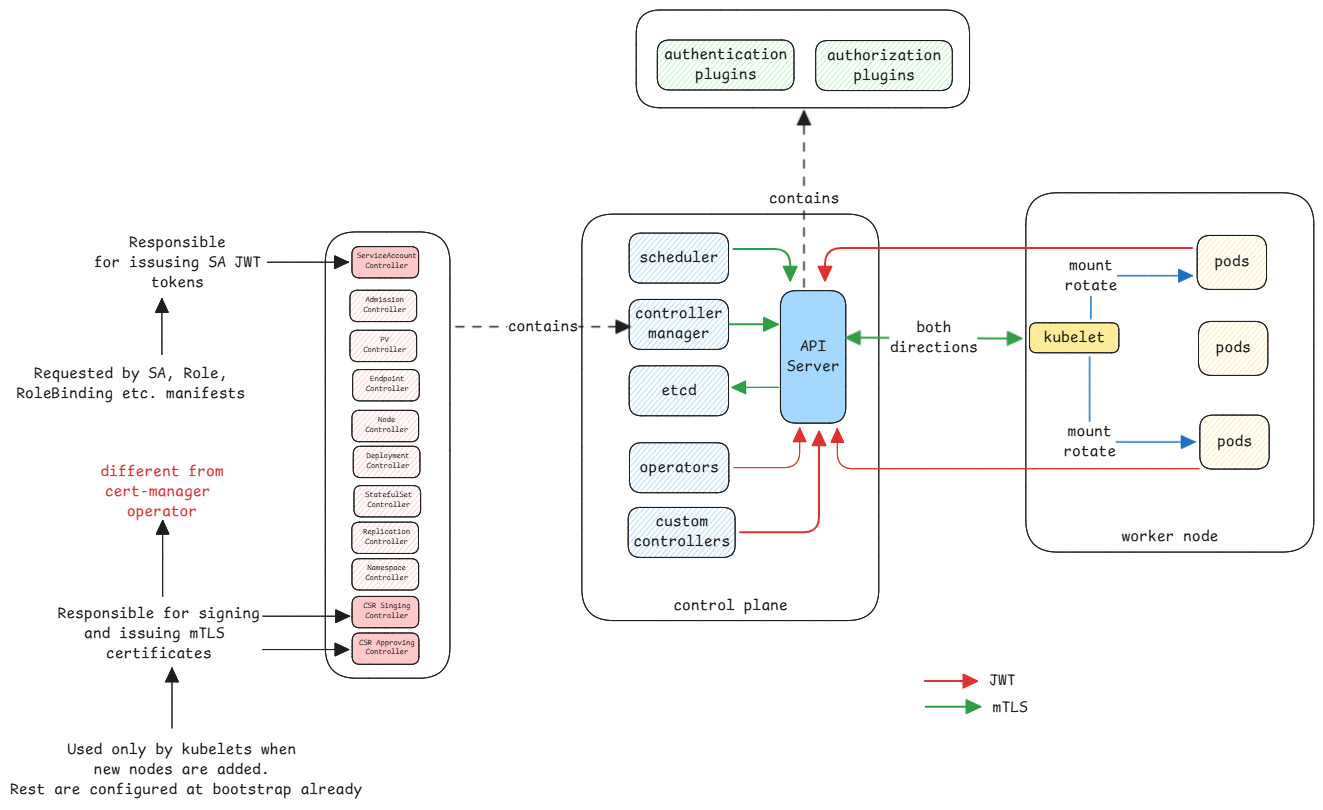
In recent versions, the JWT tokens are short lived. They last one hour by default. The kubelet on the pod's node requests new tokens and updates them in the pod.
Say an app wants to watch a resource via the API server. It must first request a service account. That's mounted into the pod.
The app inside the pod knows where to find its token at the standard location. It uses it for all API server calls.
Authorization
Both mTLS and service accounts carry their subject. It's in the certificate or the JWT token. The authorization module uses this subject name to get its roles for RBAC.
This information about subject to roles is also stored in etcd of the cluster.
Integrations to vault
An app in a pod may want secrets from a vault, such as HashiCorp Vault. It can use the service account token for this.
- Application uses it's service account token to authenticate to the vault.
- Vault validates the token with the API server of the cluster.
- If the validation is successful, it will return another vault token.
- The application must use this token to then read secrets.
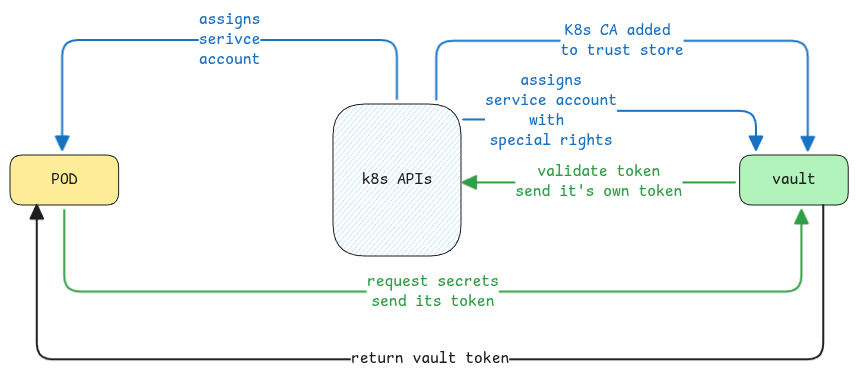
Vault doesn't validate the token itself. It sends the token to the cluster's API server to check it.